
Now every user of the site can edit alpine routes and add their own.
-
In addition to the impersonal official name "via the right couloir of the S wall", you can add a folk name that is known to everyone.
-
You can draw a route thread, and it will be displayed on the map.
-
Write a detailed description of the route, with pictures, etc. It is important not to confuse this with reports and articles. This is precisely a general description of the route.
An example of a more or less edited route: https://summitx.info/ru/routes/58844991/about ↗
How to edit a route
Click the edit button on the route page:
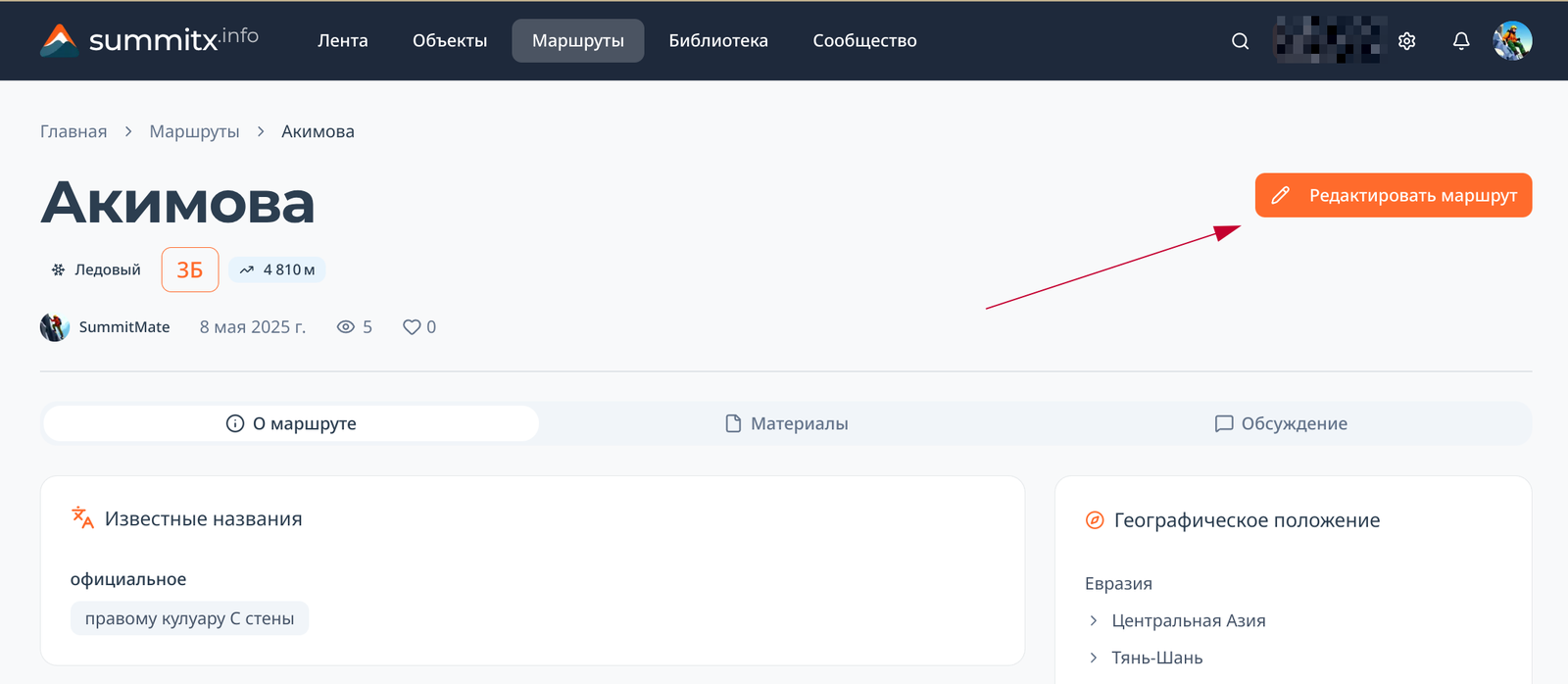 You will be taken to the draft edits page. The draft can be saved and you can return to editing it later using the same button, or from your personal account.
To draw or edit a route line, on the card with the map, you need to click the edit button (1), after which you can simply click on the map to add, delete or move points:
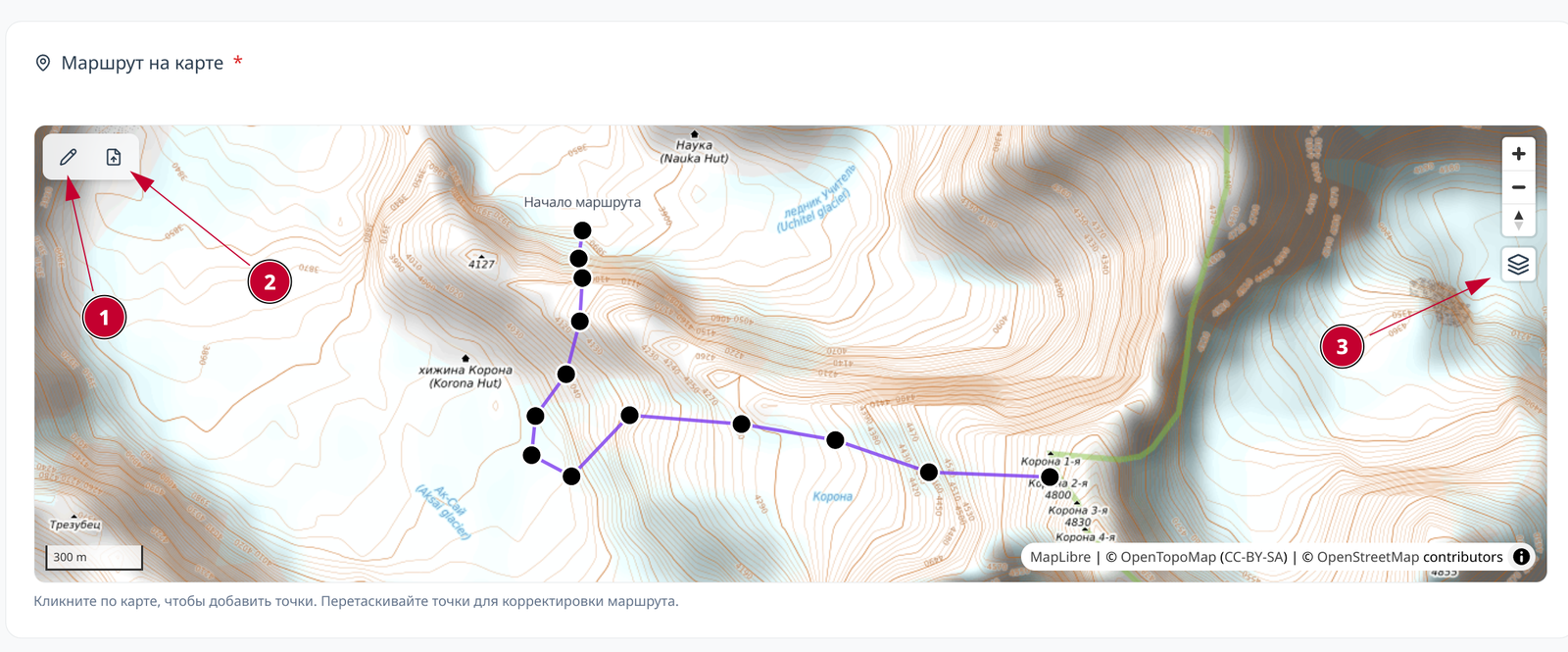 By the way, take a look at the other buttons:
(2): import route line from GPX file
(3): switch between OpenTopoMap and Google Satellite Images
After completing the editing, submit the draft for moderation by clicking the button at the top of the page. You will receive a notification when moderation is complete.
Creating a new route
You can create a new route:
- from the geographic drafts page: https://summitx.info/ru/account/geodata/drafts ↗
- from the routes page: https://summitx.info/ru/routes ↗

Comments
Sign in to leave a comment